Last updated: October 2026
Looking for a Calendly alternative in 2026? You have more credible options today than at any point in the last five years — and most teams who go shopping are doing it for one of two reasons: they want a booking experience that actually looks like part of their own brand, or they have a real team to manage (round-robin routing, role-based admin, audit trails, single sign-on).
Calendly nails the basics for individual users, but it stops short on both of those fronts. Custom domains, branded email notifications, deep design control, and team admin features are either capped behind Enterprise pricing or simply not on the roadmap. The eight tools below cover the alternatives that matter in 2026, with current pricing and a frank read on each one's strengths and limits.
Use the comparison table for a 30-second overview, then jump to the detailed write-up of whichever tool fits your case.
 |
 |
 |
 |
|
|
|
 |
|
|---|---|---|---|---|---|---|---|---|
| Price starts at | $9 | $10 | $16 | $15 | $12 | $12 | $7 | $11 |
| Group & round-robin | ✔ | ✔ | ✔ | ✔ | ✔ | ✔ | ✔ | ✔ |
| Calendar sync (Google, Outlook, M365) | ✔ | ✔ | ✔ | ✔ | ✔ | ✔ | ✔ | ✔ |
| Custom branding (logo, colors) | ✔ | ✔ | ✔ | ✔ | ✔ | ✔ | ✔ | ✔ |
| Custom domain | ✔ | X | ✔ | X | X | X | X | X |
| Custom CSS / HTML | ✔ | X | X | X | X | X | X | X |
| Email notifications from your domain | ✔ | X | X | X | X | X | X | X |
| SMS with your own caller-ID | ✔ | X | X | X | X | X | X | X |
| Team admin: roles, audit log | ✔ | ✔ | X | ✔ | X | ✔ | X | X |
| Admin manages member accounts | ✔ | X | X | X | X | X | X | X |
| Zapier integration | ✔ | ✔ | ✔ | ✔ | ✔ | ✔ | X | ✔ |
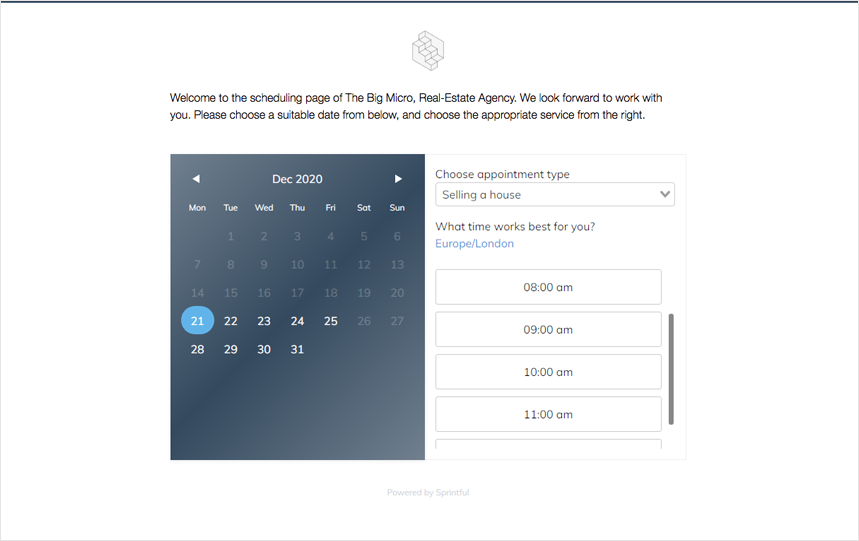
Sprintful is built for teams and businesses that don't want their booking page to look like someone else's product. The pitch is simple: your domain, your design, your email sender, your team controls. It's the only tool in this list where every one of those is on at the entry tier rather than gated to Enterprise.
The core scheduling features are all there — one-on-ones, group sessions, round-robin team routing, multi-calendar sync (Google, Outlook, Office 365, iCloud), custom intake forms, video conferencing integrations (Zoom, Google Meet, Microsoft Teams), payments, and webhooks. Where Sprintful pulls ahead is the layer above:
Pros
The strongest branding and team controls in this category, available without paying Enterprise prices. Used as the primary booking tool by Fortune 500 companies, government agencies, universities, and bootstrapped agencies alike. Setup takes minutes; the polish lasts.
Cons
No self-hosted option. Less of a fit if your only need is a single-user link to share once a week — for that, the free tier of Calendly or Cal.com may be enough.
Calendly is the most recognizable scheduling app in the world and the obvious starting point for individual users. The free tier covers one event type, and the paid plans add unlimited events, group meetings, round-robin, and integrations. It's the safe pick for "share a link with one person, find a time."
The reason teams shop for an alternative isn't that Calendly is bad — it's that the things teams care about (custom domain, branded notifications, true team admin, deeper design control) are either not available at all, or only at Enterprise pricing that starts at $15,000 per year minimum. For solo users that doesn't matter; for a 10-person team running customer-facing scheduling, it does.
Pros
Most recognized brand. Tightest individual-user onboarding in the category — you can have a working booking link in 60 seconds.
Cons
No custom domain at any tier, ever. Branding controls are limited to logo and accent color. Real team features and SSO sit behind a high Enterprise minimum.
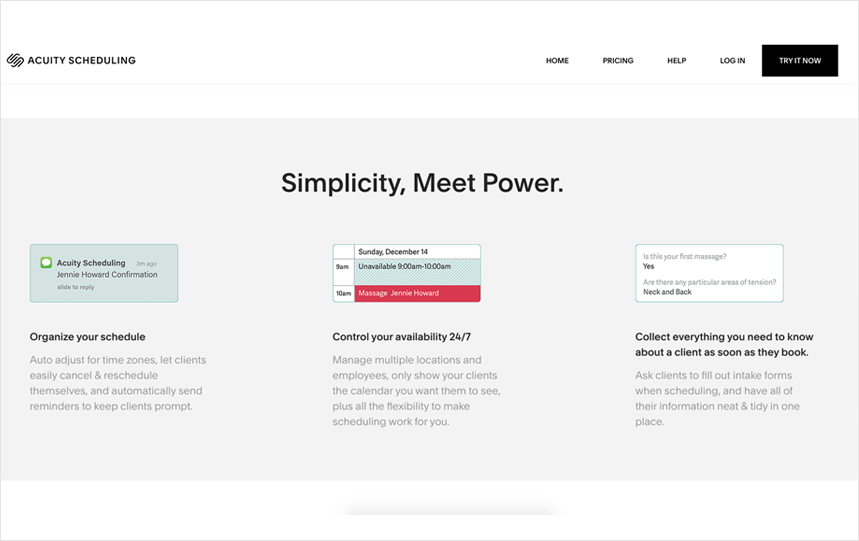
Acuity Scheduling, owned by Squarespace, is the de facto standard in scheduling for service businesses — salons, gyms, dental practices, therapy practices, photographers. It supports paid bookings out of the box, packages and gift certificates, multi-location calendars, group classes, and HIPAA-compliant scheduling at the Powerhouse tier.
If your customers are buying time as a service from you (rather than booking discovery calls or interviews), Acuity is built around your workflow. It's not the right tool if your primary use case is internal team scheduling or sales meetings.
Pros
Best fit for service businesses that need payments, packages, and recurring memberships in one place. Strong integration with Squarespace and Stripe.
Cons
Settings UI can be hard to navigate. No SAML SSO. Geared toward small-business owners rather than teams of bookable employees.
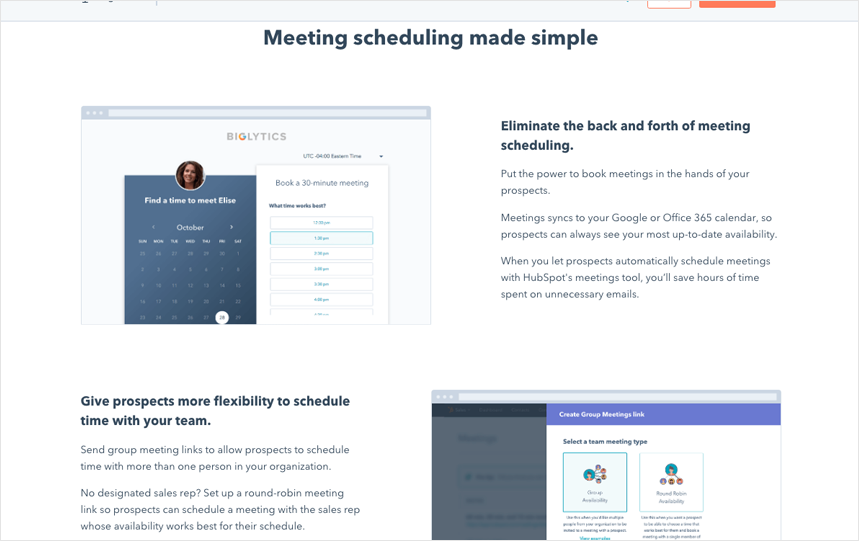
HubSpot's Meetings tool is included with HubSpot's free CRM and gets richer as you move up Sales Hub tiers. The headline feature is that every booking is automatically a contact and a deal in HubSpot, with full attribution. If you're already paying HubSpot for the CRM, you arguably don't need a separate scheduling tool — but the booking page itself is very HubSpot-branded, and customizing it beyond logo + accent color isn't really an option.
Pros
Tight CRM integration: a meeting becomes a contact and a deal automatically. Free Meetings widget is enough for many sales teams already in HubSpot.
Cons
Cost compounds quickly once you outgrow the free tier — you're paying for the CRM, not the scheduler. Booking page is functional but not customizable beyond superficial branding.
SavvyCal's signature feature is calendar overlays: you and your guest each see a single combined calendar, so picking a time feels less awkward than "here's a list of slots, pick one." It also handles meeting polls and ranked-preference scheduling well. The UI design is widely cited as the best-looking in the category.
Where SavvyCal stops short of Sprintful is in branding depth and team controls. There's no custom domain, no custom CSS, and no enterprise auth. It's a great pick if your audience is a handful of senior people whose time you don't want to feel cheap with; it's not built to be the booking layer for a large team.
Pros
Cleanest UI / UX of any tool in this list. Calendar-overlay approach feels respectful of the guest's time.
Cons
No custom domain, no SAML SSO, no audit log. Premium tier matches Calendly Teams on price without matching it on team admin.
Cal.com is the open-source heavyweight in the scheduling space. The codebase is on GitHub, you can self-host it, and the cloud version has a generous free tier. The free plan is materially more capable than Calendly's free tier — unlimited event types, unlimited calendars, and basic team features at $0.
Cal.com's strength is reach via the API and the open-source angle: engineering teams who want to embed scheduling directly into their own product, or who have a strict preference for self-hosting, will choose it for those reasons. On the cloud product itself, custom domain isn't available, branding controls are similar to Calendly, and the design feels developer-first rather than marketing-first.
Pros
Best free tier on this list. Open-source code on GitHub means you can self-host, fork, or audit the codebase. Strong API for embedding scheduling into your own product.
Cons
No custom domain on cloud. Brand customization on cloud is limited compared with Sprintful. UI is improving but still feels engineering-led.
Doodle is the original group-polling tool, and it's still the best-known way to find a meeting time across a group of five or twenty people who all have different calendars. The free tier is enough for one-off polls; the paid Pro and Team plans add unlimited polls, ad-free pages, custom branding, and an admin console.
Doodle is not really a Calendly replacement for the standard "share my link" use case — it's a different shape of tool, optimized for "let's find a slot that works for everyone." If group consensus is your problem, it's the right pick.
Pros
Unmatched at finding a time across a group. Simple onboarding, low price.
Cons
Not a 1:1 booking page replacement. Limited branding compared with Sprintful. No SAML SSO outside Enterprise.
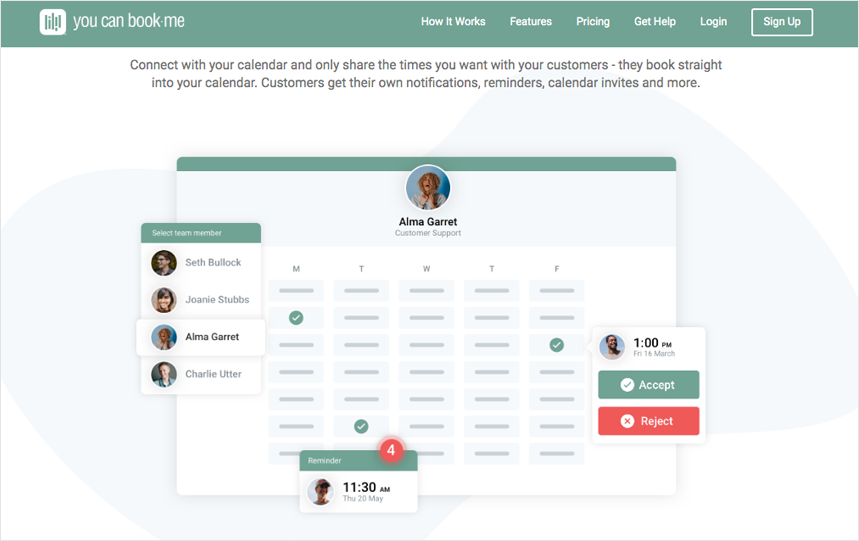
YouCanBook.me is one of the older players in the space and has stayed competitive by focusing on team scheduling for higher education (advisor office hours), recruiting (interview slots), and any context where you have many bookable people on a single team page. It supports round-robin, group bookings, and a fair amount of branding customization on its hosted pages.
Pros
Strong fit for teams of bookable individuals. Mature product with a long track record. Popular in education and recruiting.
Cons
No custom domain. UI feels older than newer entrants. Some workflows still need Zapier glue.
If we had to pick one for each common shape of business in 2026:
For most teams comparing against Calendly with a real budget and a need for brand control or proper team admin, our recommendation remains Sprintful.
Calendly doesn't. Even on the Enterprise plan, the booking page lives on calendly.com/your-name. There's no setting to point it at book.your-company.com instead.
It's the most common reason large organisations leave Calendly: a customer-facing booking page on a shared third-party domain doesn't fly for regulated industries or higher education. Banks, in particular, can't run customer-facing booking on a shared third-party domain. Same for universities running advisor or admissions scheduling. Of the tools in this guide, only Sprintful and Acuity Scheduling host the booking page on a domain you actually control.
Calendly's intake form has text inputs, dropdowns, multiple choice, and checkboxes. No file upload field. If your booking flow needs the guest to attach a brief, a screenshot, or an intake document, you have to glue a third-party form into the confirmation step or collect it after the meeting. Sprintful's intake form has file upload built in.
For a team of five or ten people sharing personal links, sure. For an organization with dozens or hundreds of bookable members and an IT admin who has to actually manage them, less so.
Teams that outgrow Calendly tend to look similar: many bookable people, an IT lead trying to keep their setups consistent, and no easy way to roll out changes across the team in Calendly without each person touching their own settings. In Sprintful, an admin can build a template booking page once and push it across every member. They can also impersonate a member's account to fix things directly without ever asking for the member's password. That combination — impersonation plus settings sync — is what draws large universities, startups, and operations teams to Sprintful.
The team admin features in Calendly's mid-tier are real, but the IT-grade controls (SAML SSO, audit log, enforced 2FA, account-level admin) sit behind the Enterprise plan, which has a $15,000+ annual minimum. Most teams under fifty seats don't justify that.
Yes. It includes SAML SSO, audit log, admin controls, and a dedicated success manager. Pricing is quote-based and minimum spend is around $15,000 a year. Teams looking for those features without the Enterprise contract usually end up at Sprintful, where SAML SSO, audit log, and account impersonation are on the standard Enterprise tier with no five-figure floor.
Not really. Calendly lets you set a reply-to address, but the actual sending domain stays Calendly's. Confirmation emails arrive from notifications@calendly.com.
This trips up two industries in particular: banks and law firms. A booking confirmation that arrives from a third-party domain reads as suspicious to recipients, and corporate email systems often quarantine it. Sprintful sends confirmations and reminders from your own domain (e.g., bookings@your-company.com) using your SMTP credentials, and SMS reminders go out from your own caller-ID. The booking experience reads as transactional mail your team sent directly — which is the bar finance, healthcare, and education customers most often need.
Three honest answers, depending on what cheap means to you:
Sprintful starts at $9 / user / month, but the conversation about price changes once you have a real team. The cheapest option per seat doesn't usually win when an IT admin has to spend twenty hours setting up each member by hand.
Calendly URLs aren't portable. The link follows the calendly.com/your-name pattern and there's no export-and-redirect feature. The fix is to put your new tool on a custom domain like book.your-company.com and 301-redirect the old Calendly URL there (you'll need a short URL on a domain you control to do the redirect — Calendly itself can't redirect for you).
Sprintful supports custom domains out of the box, so the migration is permanent: future customers, partners, and the booking links sitting in old email signatures don't stop working when you cancel Calendly.
Vocus.io adds tracking, follow-ups, mail merge, and prospecting to Gmail.
Get Vocus.io Free